


Four Mobile Money networks, one of them only on PawaPay’s Enterprise plan, shillings without decimals and Tanzanian test numbers: how to take M-Pesa, Airtel Money, Mixx by Yas and Halopesa on a WooCommerce store.

Four Mobile Money networks, one of them only on PawaPay’s Enterprise plan, shillings without decimals and Tanzanian test numbers: how to take M-Pesa, Airtel Money, Mixx by Yas and Halopesa on a WooCommerce store.
Vodacom M-Pesa, Orange Money et Airtel Money sur une boutique WooCommerce en RDC : les trois réseaux listés par PawaPay, francs congolais ou dollars, les numéros de test +243 et la mise en route avec Fosia Pay.
Shopify Payments lists no African country, third-party providers carry an extra Shopify fee, and WooCommerce lets you install any gateway. A fair comparison of both platforms for shops whose customers pay with MTN MoMo, M-Pesa or Orange Money.
What the Fosia Pay affiliate program pays on each licence, how a sale is credited to your link or coupon, when the money reaches your Mobile Money number, and the rules to know before you share anything.
A Mobile Money wallet cannot be charged in the background like a saved card. Here is what recurring billing really looks like on WooCommerce today: Subscriptions with manual renewals, monthly e-mail invoices, or a link you resend.
Which Mobile Money networks you can take in Ghana and Uganda, how cedis and shillings behave at checkout, the sandbox numbers to test each network and the settings that cut failed payments, with PawaPay and Fosia Pay.
MTN MoMo et Orange Money sur une boutique WooCommerce au Cameroun : les deux réseaux disponibles chez PawaPay, le franc CFA sans centimes, les numéros de test à essayer et la façon d’encaisser aussi à la livraison.
Your Mobile Money option is missing at checkout, or WooCommerce says no payment methods are available? The block checkout and HPOS are usually why. How to check your store in five minutes and add a method that works with both.
The MTN MoMo API lets you request payments straight from MTN wallets, but WooCommerce needs much more than an API key. What the direct route involves, from sandbox to go-live, and when a plugin is the shorter path.
Divi 5 met en page votre boutique, une passerelle WooCommerce encaisse. Voici comment ajouter le Mobile Money à une page de commande Divi 5, le tester, puis placer boutons de paiement et réseaux acceptés avec les modules Fosia Pay.
Flutterwave vs Paystack is the comparison everyone makes, but for Mobile Money on WooCommerce PawaPay belongs in it too. Four store profiles, one comparison table and the questions that decide which one fits you.
WooPayments is not open to African merchants, and most card gateways do not take Mobile Money. Here are the WooCommerce gateways that do, what each one covers, and the five checks to run before you install one.
A card gateway alone leaves out every customer who pays with a phone wallet, and in several African countries Stripe or PayPal may not be an option at all. Here is how to run Mobile Money and card payments side by side on one WooCommerce checkout.
Rembourser un client depuis la commande WooCommerce et payer livreurs, fournisseurs ou vendeurs par Mobile Money, sans sortir votre téléphone personnel : la marche à suivre avec Fosia Pay Pro et votre compte PawaPay.
Callback URL first, then the API token, then signed callbacks: the exact order of steps to connect PawaPay to WooCommerce with Fosia Pay, test with sandbox numbers, and switch to live payments without surprises.
Stop asking customers to “send money to this number” and checking screenshots. A Mobile Money payment link and a QR poster let people pay you from a WhatsApp chat, an Instagram bio or your shop counter, and confirm it for you.
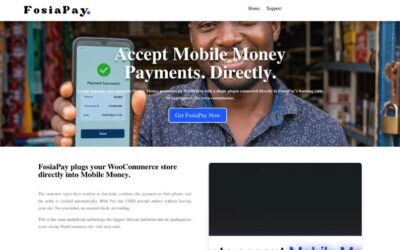
Weddings, funerals, medical bills, school fees, places of worship, community projects: Fosia Crowdfunding gives each cause its own campaign page on your website, and donors give with Mobile Money.
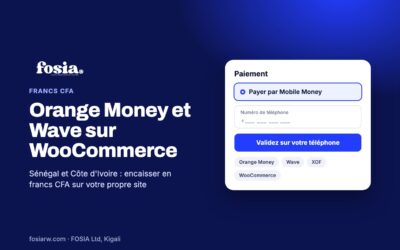
Au Sénégal et en Côte d’Ivoire, vos clients paient avec Orange Money ou Wave. Voici comment les accepter sur une boutique WooCommerce en francs CFA, avec Fosia Pay et votre propre compte PawaPay, et ce qui change entre les deux.
Your customers pay with MTN MoMo, Airtel Money, Orange Money or M-Pesa. Here is how to accept Mobile Money on a WooCommerce store with Fosia Pay, through your own PawaPay account, without giving a share of your sales.
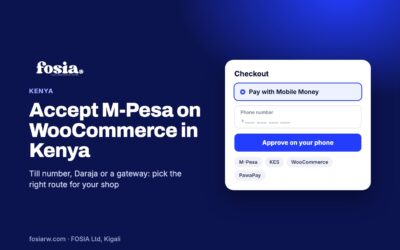
A Till number on the checkout page, a custom Daraja build or a payment gateway: three ways to take M-Pesa on a WooCommerce store in Kenya, and the PawaPay eligibility check to do before you choose.