

In short: you can take Mobile Money without a website by using payment links, QR codes and a simple payment page. Fosia Connect gives you all three: a link for a fixed or open amount to share on WhatsApp, an A4 or A5 QR poster for your counter, and a link-in-bio page at connect.fosiarw.com/@yourname. Customers pay into your own PawaPay merchant account; Fosia never holds the money and takes no percentage.
Plenty of good businesses run without a website: a tailor in Dakar who sells through WhatsApp, a maths tutor in Kigali, a caterer in Kumasi, an organiser selling seats for a Kampala workshop. They get paid by Mobile Money already, usually with “send it to my number”. This guide is for them: how to take the same payments in a cleaner way, with nothing to build.
Three ways to get paid without a site
Fosia Connect is a web app from FOSIA, the Kigali team behind Fosia Pay. Its page says it is “Now available” and describes three ways to get paid. Two of them need no website at all:
- Payment links. Create a link for a fixed amount, or let the customer choose the amount, then share it on WhatsApp, Facebook, X, Telegram, by SMS or e-mail.
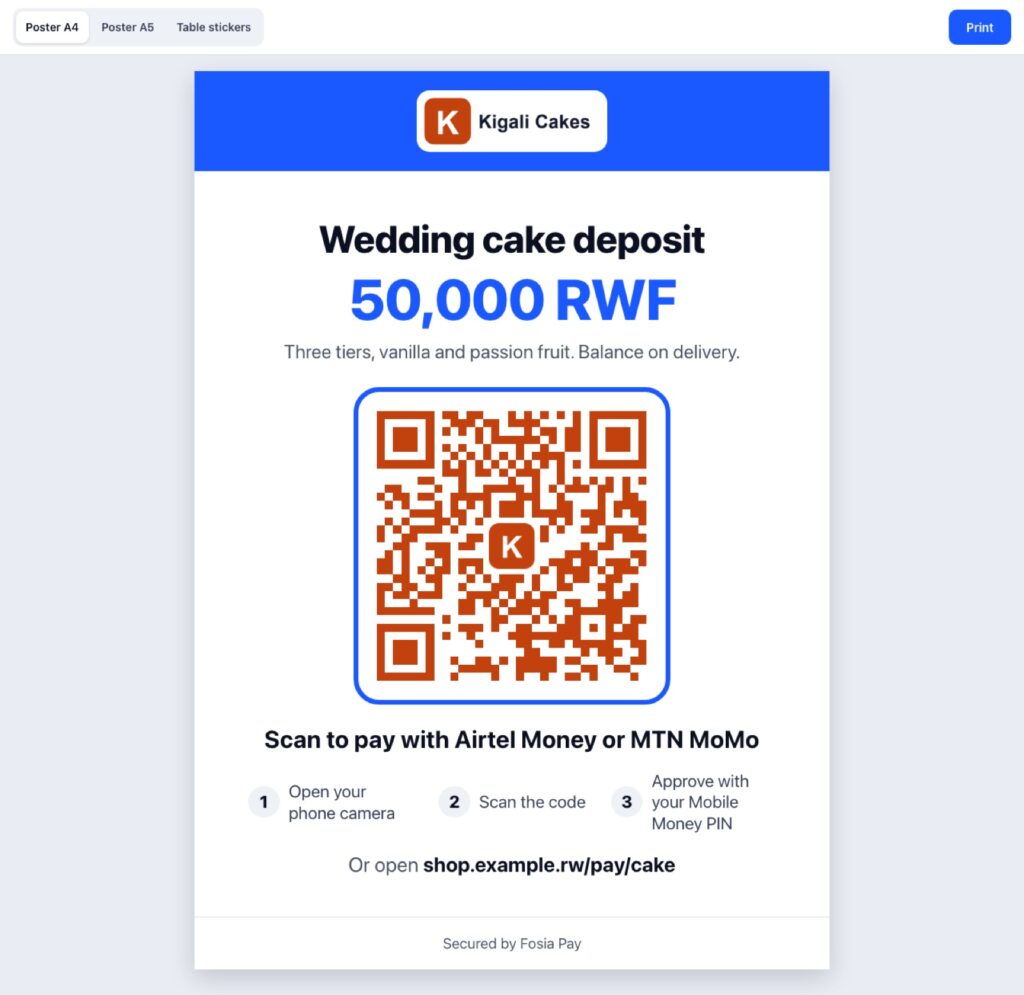
- QR codes and posters. Print the link’s QR code on an A4 or A5 poster for your counter, your stall or your event entrance.
- A link-in-bio payment page. One page at connect.fosiarw.com/@yourname with your logo, a short bio, your active payment links and your social networks, ready for your Instagram, TikTok or WhatsApp profile.
The third way, an API, is for developers who connect their own site or app. If you have no website, you can ignore it for now.
What you need before you start
One thing surprises people: you need your own PawaPay merchant account. Fosia Connect is software, not a payment company. The money goes from your customer’s wallet to your PawaPay account, which pays you out. The Fosia Connect page is clear that these accounts are for businesses: PawaPay checks your business documents and sets its own fees. You can start with a sandbox key to test while you wait.
Which networks will your customers see? Only the ones enabled on your PawaPay account: Fosia Connect reads them from it, so nobody is offered an operator you cannot receive from. PawaPay’s markets page lists, for example, MTN and Airtel in Rwanda and Uganda, Orange, Wave and Yas in Senegal, and Vodacom M-Pesa, Airtel and Orange in DR Congo.
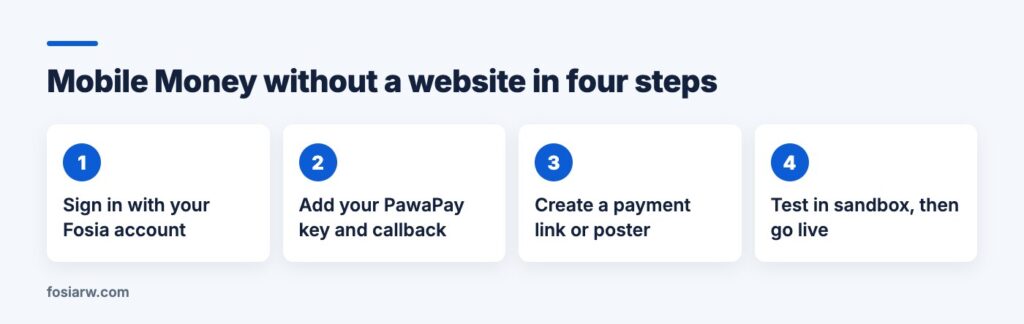
In practice: sign in on Fosia Connect with your Fosia account (the same account as pay.fosiarw.com) and accept the terms. Add your PawaPay account key in the vault form, where it is encrypted before it is stored and never shown again, not even to the Fosia team. Paste the callback address shown on your dashboard into your PawaPay settings. Then create your first link.
Fixed or open amount: which link for which sale?
A fixed amount link suits anything with a set price. The tutor creates “October lessons, 40,000 RWF”. The workshop organiser creates “Workshop seat, 50,000 UGX”. Every payer pays exactly that, and nobody mistypes an amount.
An open amount link, where the customer types what they pay, suits deposits that vary, tips, or a tailor who quotes each outfit in a chat. Send the link with the agreed price in the message so the customer knows what to enter.
A practical habit: one link per product or per purpose, with a clear name. Fosia Connect shows successful payments and the amount collected for each link, so separate links give you a free breakdown of what sells.
How you know who paid
This is where links beat “send money to my number” and a screenshot. According to the Fosia Connect page:
- A payment counts only once it is confirmed. Payments left open are checked automatically until they are final, even if the customer closed the page.
- Every payment also shows in your own PawaPay dashboard.
- You get a CSV export for your accounting.
- What is kept about the payer is what a payment needs: amount, status, operator and phone number, shown masked on receipts.
Refunds go back to the customer’s wallet. Fosia Connect offers them through its API; without a developer, you can send a refund from your PawaPay dashboard.
What it costs
Fosia Connect does not take a percentage of your sales. It works with prepaid credits: one credit is used per successful payment, whatever the amount. Failed, cancelled or expired payments cost nothing. Links, QR codes, posters and your payment page are included, and if you run out of credits your payments keep working while you get an e-mail to top up. The current credit packs are listed on the Fosia Connect page.
PawaPay’s own processing fees apply on top, as with any PawaPay payment. On its Standard plan, PawaPay’s plans page shows 1% plus a fee set by the operator at the time of writing (November 2026).
When a website starts to make sense
Links and a bio page carry a small business a long way. Signs you have outgrown them: you have a catalogue of products with stock, customers ask for delivery addresses and order tracking, or you want people to find you on Google. Then the tools change:
- Selling products: a WooCommerce shop with Fosia Pay. Lite is free with unlimited payments; Pro ($19.99 a year or $59 once for life) adds payment links and QR posters made from your own store. See selling on WhatsApp with payment links.
- Donations or fees: Fosia Collect, a free Donate or Pay form for any WordPress page, without WooCommerce.
- Not WordPress: keep Fosia Connect and use its API from your new site. Weighing platforms? Read Shopify or WooCommerce in Africa.
Frequently asked questions
Can I use Fosia Connect with only an Instagram or TikTok account?
Yes. Put your connect.fosiarw.com/@yourname page in your profile, and followers see your active payment links in one place.
Do I need a registered business?
PawaPay merchant accounts are for businesses and PawaPay checks your documents before opening a live account. Read its requirements first; the sandbox is free for testing.
Can a customer in another country pay my link?
Only with a network enabled on your PawaPay account. Fosia Connect shows customers only the operators you can really receive from.
Does the money pass through Fosia?
No. Customers pay into your own PawaPay merchant account. Fosia never receives, holds or moves the money.
I already have a WooCommerce shop. Should I use Fosia Connect?
No, use Fosia Pay for WooCommerce, which has a free plan with unlimited payments.
Ready to stop chasing screenshots? Open Fosia Connect, test your first link with a sandbox key, and print your poster when you go live.