

In short: in the Shopify vs WooCommerce in Africa question, Mobile Money is often the deciding factor. Shopify’s own Shopify Payments is not offered to businesses in any African country, so an African Shopify store needs a third-party provider, which adds a Shopify transaction fee, or a manual payment method you confirm by hand. WooCommerce is free, open-source software where you install the gateway you want, such as Fosia Pay Lite for Mobile Money, with no commission.
You are opening an online shop in Accra, Kigali or Abidjan and you have narrowed it down to the two best-known platforms. Both are good. But your customers will pay with their phones, and that changes the comparison. This guide puts the payment facts side by side, from each platform’s official pages, so you can choose before you build.
What Shopify does well
Shopify is a hosted platform: you do not manage a server, security updates or backups. Its pricing page shows plans for selling online, in person and in AI chats, with a short free trial. At the time of writing (November 2026), the US version of that page shows the Basic plan at $19 a month billed yearly, or $27 billed monthly; prices can differ in your region. For a merchant who wants to start without any technical work, that simplicity is real value.
Where Mobile Money gets harder on Shopify
Shopify Payments is not available in Africa
Shopify’s list of supported countries for Shopify Payments names countries in Europe, North America, Asia and Oceania, and no African country. The same page says that if your country is not listed, you need a third-party payment provider.
Third-party providers add a Shopify fee
Shopify’s help center says third-party transaction fees apply to every transaction processed through a third-party gateway. The pricing page sets the rate by plan: 2% on Basic, 1% on Grow and 0.6% on Advanced at the time of writing. That fee comes on top of what the provider itself charges.
Payment apps come only from approved partners
Shopify’s developer documentation says only approved Partners can build payments extensions, and that payments apps must be approved by Shopify. So a Mobile Money provider cannot simply publish a checkout plugin for Shopify. Shopify’s payment gateways page lets you filter the providers available in your country: check it for one that covers the exact networks your customers use.
The manual payment route
Shopify also offers manual payment methods. You can create a custom one called “Mobile Money” with payment instructions that appear on the order confirmation page. Shopify charges no third-party fee on manual payments. The catch: the order is marked unpaid, and you must check the money arrived and mark the order as paid yourself. Shopify also notes that manual payments in several currencies need Shopify Payments.
If you take this route, a payment link is tidier than “send money to this number”. Fosia Connect gives you payment links, QR codes and a payment page that work without WordPress, paid into your own PawaPay account. You still match each payment to its Shopify order by hand.
How Mobile Money works on WooCommerce
WooCommerce describes itself on WordPress.org as the open-source ecommerce platform for WordPress, with a free core. You host it yourself, so you choose and install the payment gateway plugin you want.
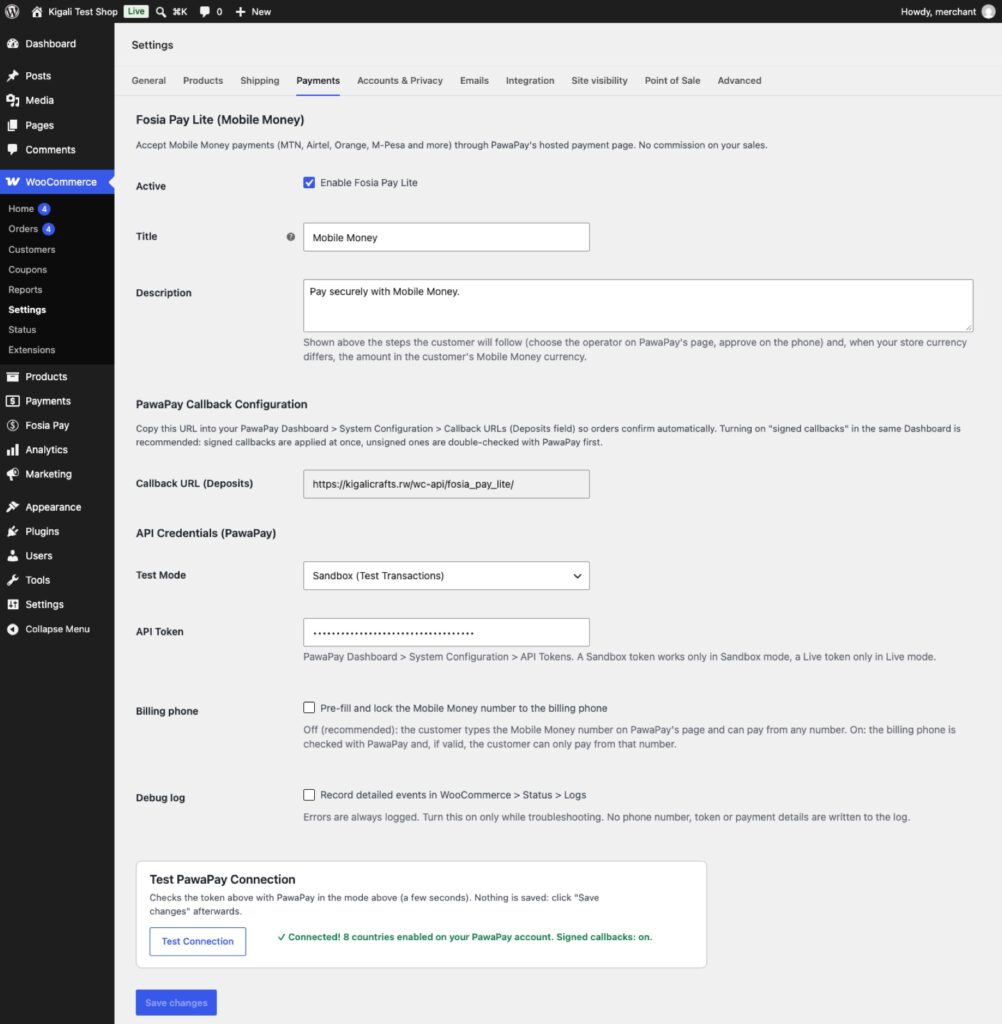
Fosia Pay is a WooCommerce gateway built by FOSIA in Kigali for Mobile Money. It connects your store to your own PawaPay merchant account: 21 African countries and 43 networks, including MTN MoMo, M-Pesa, Airtel Money, Orange Money and Wave, with availability depending on what PawaPay has enabled on your merchant account. Fosia Pay Lite is free on WordPress.org with unlimited payments; FOSIA takes 0% commission. PawaPay’s own fees apply: its plans page shows 1% plus a fee set by the operator on the Standard plan at the time of writing.
The order is marked paid automatically, but only after Fosia Pay checks the real status, amount and currency with your PawaPay account. No manual matching.
Side by side for a Mobile Money shop
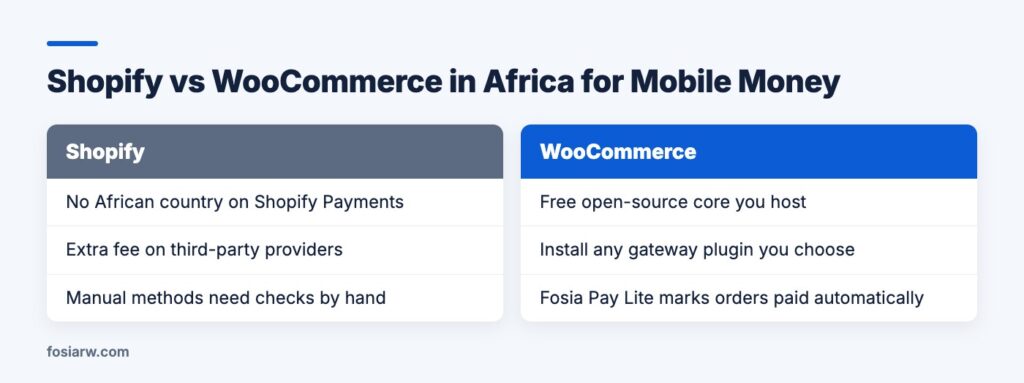
| Question | Shopify | WooCommerce with Fosia Pay |
|---|---|---|
| Who runs the server? | Shopify | You or your host (HTTPS required) |
| Native payment product in Africa | None (Shopify Payments not listed) | Not applicable: you pick a gateway |
| Extra platform fee on payments | Yes with third-party providers, 0.6% to 2% by plan | None charged by FOSIA |
| Mobile Money at checkout | Only through a provider listed for your country | Yes, in 21 countries, per your PawaPay account |
| Order marked paid | By the provider, or by you for manual methods | Automatically, after a check with PawaPay |
How to choose in three questions
- How do your customers pay today? If most of them pay by Mobile Money, give that the most weight. Write down the networks: MTN and Telecel in Ghana, MTN and Airtel in Rwanda, Orange and Wave in Senegal.
- Who will maintain the site? WooCommerce needs hosting, updates and backups. If nobody can do that, Shopify’s hosted model, or a managed WordPress service, is safer.
- What will payments cost per month? Take last month’s sales and work out each option: provider fees, plus Shopify’s third-party fee if it applies, plus any licence. Real numbers end most debates.
Already decided on WooCommerce? Our guide to WooCommerce payment gateways for Africa compares the Mobile Money options, and PawaPay, Flutterwave or Paystack goes deeper on the providers. Planning memberships or monthly plans? Read recurring Mobile Money payments on WooCommerce.
Frequently asked questions
Can I install Fosia Pay on a Shopify store?
No. Fosia Pay is a WordPress plugin for WooCommerce. On Shopify, the closest options are a provider Shopify lists for your country, or a manual payment method combined with Fosia Connect payment links.
Does Shopify charge a fee when I use a manual “Mobile Money” method?
No. Shopify’s help center says third-party transaction fees are not charged for manual payments. You do have to confirm each payment and mark the order as paid yourself.
Is WooCommerce really free?
The core software is free. You pay for hosting, a domain and any paid extensions you choose, and someone has to keep it updated.
Can I move from Shopify to WooCommerce later?
Yes, but products, customers and orders have to be exported and imported again, and your payment setup rebuilt, so it is easier to choose well at the start.
Can WooCommerce take cards and Mobile Money together?
Yes. Fosia Pay handles Mobile Money and works next to a card gateway such as Stripe or PayPal, so each customer picks how to pay.
Choosing WooCommerce? Download Fosia Pay Lite for free and test a Mobile Money order in sandbox, read the Fosia Pay guide, or see the plans on the pricing page.