

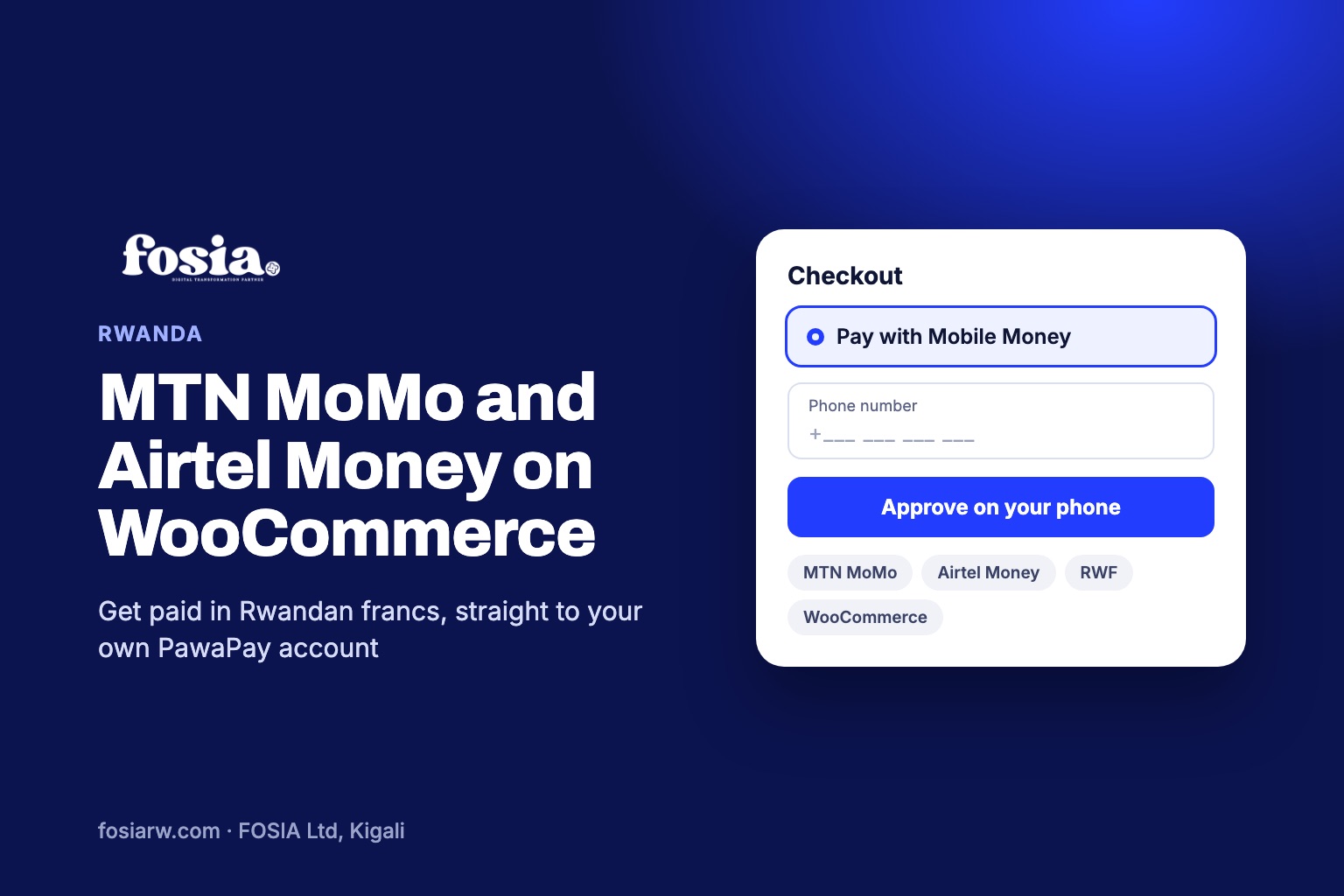
In short: to accept MTN MoMo on WooCommerce in Rwanda, together with Airtel Money, you connect the store to a PawaPay merchant account through a plugin such as Fosia Pay. The customer types a phone number at checkout, approves the payment on the phone with their PIN, and the order is marked as paid once PawaPay confirms it. Prices are charged in Rwandan francs (RWF) and the money goes to your own PawaPay account.
In Kigali and across Rwanda, people pay for almost everything with the phone in their pocket: taxi motos, groceries, school fees, electricity. Yet many online shops still ask for a Visa or Mastercard number at checkout, and lose the customer right there. This guide explains how to add the two Mobile Money networks that matter in Rwanda to a WooCommerce store, what it costs, and what to watch out for.
The two networks you need in Rwanda
PawaPay, the payment provider behind Fosia Pay, lists two Mobile Money providers for Rwanda: MTN MoMo and Airtel Money. Both work in Rwandan francs. If your checkout takes both, you cover the people who carry either SIM card, and you never have to ask “which network are you on?” yourself.
One detail is worth knowing from the start: PawaPay’s documentation states that neither Rwandan provider accepts decimals in the amount. A price such as 4,999.50 RWF cannot be sent as it is. Keep your WooCommerce prices in whole francs, which is how prices are shown in Rwanda anyway.
How a Mobile Money checkout works for your customer
- The customer fills the basket and chooses Mobile Money at checkout.
- They enter their phone number. Fosia Pay reads the country, the currency and the network from the number, so the customer does not have to pick MTN or Airtel from a list.
- A payment request reaches their phone. They approve it with their Mobile Money PIN.
- PawaPay sends a signed confirmation to your store. Fosia Pay checks the signature (RFC 9421) before it marks the WooCommerce order as paid, so a fake notification cannot mark an unpaid order as paid.
With the free Lite plan, the customer approves the payment on a secure page hosted by PawaPay. With Pro, the payment prompt goes straight to the phone from your own checkout page, with no redirect.
Set it up in three steps
1. Open your PawaPay merchant account
Fosia Pay does not hold your money and is not a payment provider. It connects WooCommerce to your own PawaPay account, so the payments land with you. Ask PawaPay to enable MTN and Airtel for Rwanda on your account: availability always depends on what PawaPay has enabled for each merchant.
2. Install Fosia Pay on WordPress
Fosia Pay Lite is a free download on pay.fosiarw.com and is coming to WordPress.org. Upload it in WordPress, activate it, paste your PawaPay API token and copy the callback URL shown by the plugin into your PawaPay dashboard. It works with both the classic WooCommerce checkout and the newer block checkout.
3. Test in sandbox, then go live
Run a few test orders in PawaPay’s sandbox first: a payment that succeeds, one that the customer refuses, one that times out. Check that each order ends in the right status in WooCommerce. Then switch to live mode and make a small real purchase with your own MTN and Airtel numbers.
What it costs
FOSIA takes 0% commission on your sales. You pay PawaPay’s own processing fees, agreed in your PawaPay contract, and a Fosia Pay licence if you choose a paid plan.
| Plan | Price | Good for |
|---|---|---|
| Lite | Free | Starting out: unlimited payments on one site, hosted PawaPay checkout |
| Pro | $19.99 per year or $59 once for life | Native checkout, refunds, payouts, payment links and QR codes |
| Pro + AI | $39.99 per year | Recurring payments, REST API, AI assistant |
| Agency | $79.99 per year | Web agencies running up to 25 client sites |
Licences are paid by Mobile Money in local currency. A yearly licence never renews by itself, and if you do not renew, your store keeps taking payments in Lite mode. There is a full refund within 14 days. See the details on the Fosia Pay pricing page.
Five ways to lose fewer payments
- Say it on the product page. “Pay with MTN MoMo or Airtel Money” next to the price reassures customers before they reach checkout.
- Keep whole-franc prices. No decimals in RWF, as explained above.
- Tell the customer to keep the phone close. The approval request has a time limit; a short line at checkout (“approve the request on your phone now”) helps.
- Catch wrong numbers early. Fosia Pro checks the number while the customer types, warns when an operator has an outage and offers a one-tap retry with the reason of the failure.
- Keep cards for visitors. Tourists and foreign buyers may still prefer a card. Fosia Pay handles Mobile Money only and works next to a card gateway such as Stripe or PayPal.
Beyond the online shop
Many Rwandan businesses sell first on WhatsApp and Instagram. With Pro, you can create a payment link for an order and share it in one tap, or print a QR code poster for your counter or market stand. You can also refund a customer, fully or partly, from the WooCommerce order, and pay suppliers or staff by Mobile Money, one by one or from a CSV file.
If you want a professional website that already includes Mobile Money payments, SEO and maintenance, FOSIA’s Digital-as-a-Service covers it from $199.99 per month. For the bigger picture of payments in the country, read our overview of the digital payment ecosystem in Rwanda.
Frequently asked questions
Can a WooCommerce store in Rwanda accept both MTN MoMo and Airtel Money?
Yes. PawaPay supports both networks in Rwanda in RWF, and Fosia Pay detects the network from the customer’s phone number, as long as PawaPay has enabled both on your merchant account.
Does FOSIA take a percentage of my sales?
No. FOSIA takes 0% commission. You only pay PawaPay’s processing fees and, if you choose one, a yearly or lifetime Fosia Pay licence.
Where does the money go?
Straight to your own PawaPay merchant account. FOSIA never holds or touches your customers’ payments.
Is Fosia Pay on WordPress.org?
Not yet. Fosia Pay Lite is a free download on pay.fosiarw.com and is coming to WordPress.org.
Can customers outside Rwanda pay too?
Fosia Pay covers 21 African countries and more than 40 Mobile Money networks, and converts store prices to the customer’s local currency. What works for you depends on the countries PawaPay has enabled on your account.
Ready to try it? Download Fosia Pay Lite for free, or book a free call with the FOSIA team in Kigali if you want us to set it up for you.