

In short: Mobile Money bulk payouts let you pay many people at once from your own PawaPay wallet instead of sending money one by one from a phone. With Fosia Pay Pro, you pay one person from a short form or upload a CSV list of up to 1,000 rows, check every recipient and amount on a review screen, and follow each payout until it is final. A row is never paid twice, and the money never passes through FOSIA.
Friday afternoon in a Lusaka furniture shop: three carpenters, two delivery riders and a fabric supplier are waiting to be paid. The owner opens the Mobile Money app, types six numbers by hand, and hopes none is wrong. The next week the accountant asks who was paid what, and nobody has a clean list. This guide replaces that routine with one you can run from WordPress, and explains what PawaPay requires behind the scenes. Refunds to customers are a different job, covered in our French guide to refunds and supplier payments.
Who you can pay, and how the money moves
A payout sends money from your PawaPay wallet to someone’s Mobile Money wallet. PawaPay’s payouts guide explains three things worth knowing:
- The recipient does nothing. No PIN, no approval: the payout is usually processed within a few seconds, and the recipient gets an SMS receipt.
- The money comes from a country wallet. Funds move from your PawaPay wallet for that country, so a rider in Kampala is paid from your Uganda wallet, in shillings.
- Fees are taken on success. The amount is reserved first; fees are deducted from your wallet once the payout completes, and if it fails the money returns to your wallet immediately.
At the time of writing (November 2026), PawaPay’s plans page shows its Standard plan at 1% plus a fee set by the operator for disbursements. FOSIA takes no commission on payouts or on anything else.
Typical uses: delivery riders and casual staff, suppliers and makers, sellers on a marketplace, partners who earn a share of sales, and agents in several towns.
Before your first payday: fund the wallet and connect the store
This is the step people forget. PawaPay’s top-up guide is clear: to make payouts, your wallet must hold enough money, or the payout fails. Money you collect from customers lands in the same country wallet, but if you pay more than you collect, you top up:
- Payouts must be enabled on your merchant account, and the person doing it needs the Top ups role or Administrator.
- In the dashboard, Top ups, Create new top up: choose the wallets (for example Zambia ZMW), the funding method, the currency and the amounts.
- Send the transfer from a bank account owned by your company, with your unique merchant code in the reference, and upload the proof of payment.
Do not confuse a payout with a settlement: PawaPay calls a settlement the transfer of your collected money to your own bank account. A payout pays someone else.
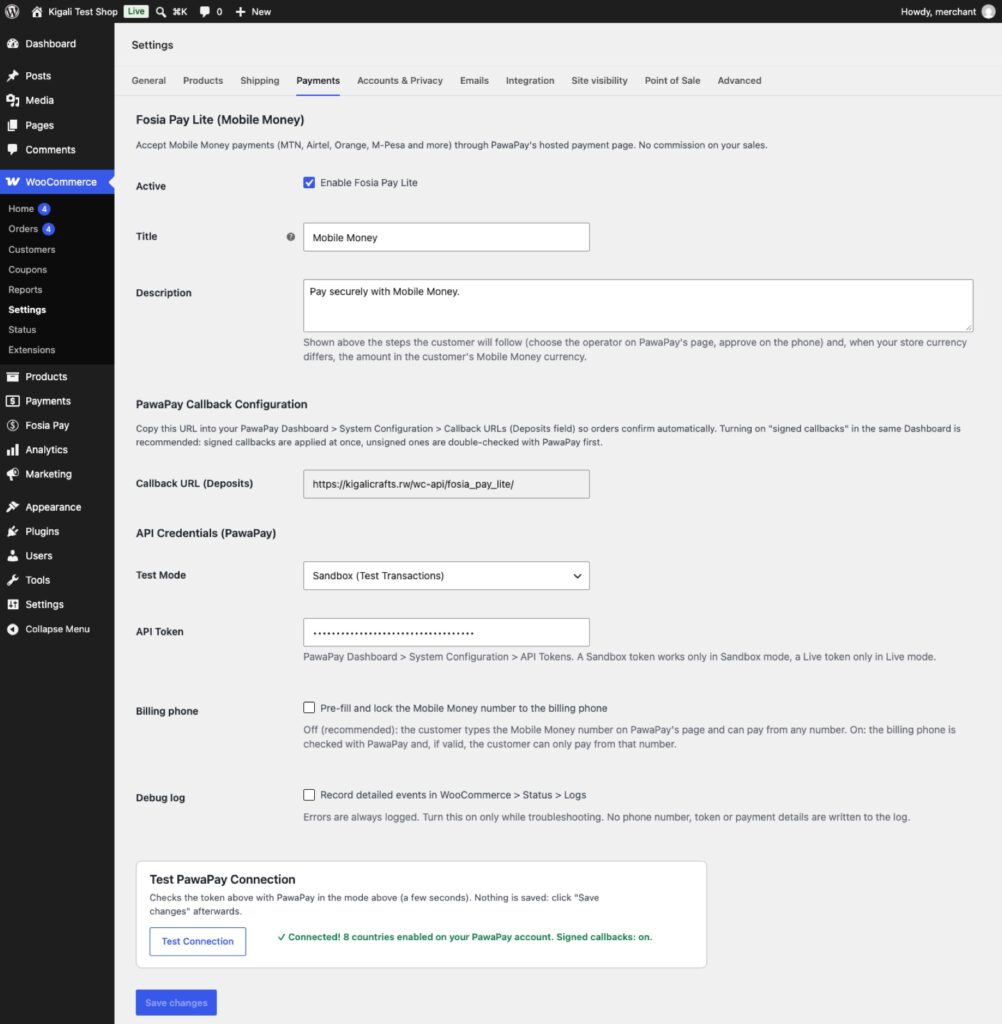
On the store side, payouts use the same connection as payments: the PawaPay API token you paste in WooCommerce, Settings, Payments. On a paid plan you add your licence key there too.
The payday routine, step by step
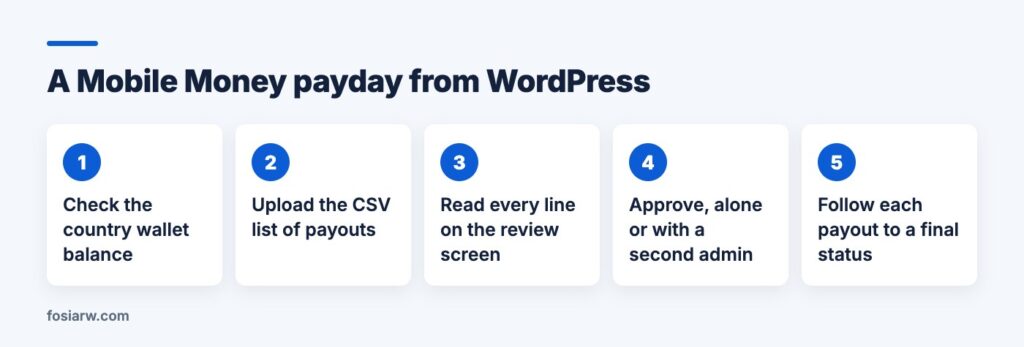
- Check the balance. Fosia Pay Pro shows your wallet balances per country and operator. Compare them with the total of the list.
- Prepare the list. Keep a spreadsheet with who is paid, the Mobile Money number, the amount and why, then save it as CSV. A file holds up to 1,000 rows, and each row is validated when you upload it.
- Review. Every recipient and amount appears on a review screen before anything is sent. Read it like a bank statement: names, numbers, totals.
- Approve. Confirm, or let the batch wait for someone else’s approval (next section).
- Follow. Payouts go out in the background, with the progress and status of each one. Fosia Pay keeps checking accepted payouts until they are completed or failed, even if a notification never arrives.
For a single supplier, skip the file: pay one person from the short form.
Controls that catch mistakes before money leaves
Paying in bulk also means making mistakes in bulk. Fosia Pay Pro adds checks described on its features page:
- A risk score on every line, from statistics, not AI: an amount far above this recipient’s usual, a new recipient with a large amount, a number changed for a known name, three payouts to one number in 24 hours, duplicates in the batch.
- Approval before sending: a CSV batch waits with its score until someone approves it, or every payout waits for a second administrator. Who prepared, approved or cancelled is logged.
- On Pro + AI, anomaly detection (duplicates, spikes, repeated failures) and, on request, an AI review where Claude reads the lines with numbers masked and gives a recommendation. It never approves or cancels: you decide.
Do the same inside PawaPay. Its user roles let you give your accountant Finances access without Top ups, and limit a team member to one country.
When a payout fails or waits
PawaPay’s failure codes name the usual reasons:
| Code | What happened | What to do |
|---|---|---|
| RECIPIENT_NOT_FOUND | The number does not belong to that operator | Check the number and the network with the recipient |
| PAWAPAY_WALLET_OUT_OF_FUNDS | Your wallet cannot cover the payout | Top up, then pay the line again |
| WALLET_LIMIT_REACHED | The recipient’s wallet hit a limit | Split the amount, or pay another day |
When an operator has trouble paying out, PawaPay usually queues payouts and processes them once it works again; they wait in an “enqueued” state and can be cancelled while they wait. Before payday, try the sandbox: in Zambia, PawaPay’s test numbers 260763456789 complete an MTN payout and 260763456079 fails it as an unknown recipient.
Which plan, and the other ways to do it
Fosia Pay Lite takes payments only; it cannot send money. Pro ($19.99 a year or $59 once for life) adds single and bulk payouts, the risk score and approvals. Pro + AI ($39.99 a year or $119 once) adds the AI review, anomaly detection and a REST API whose payouts accept an Idempotency-Key, so a retried request returns the first result instead of paying twice.
To be fair to the alternative: PawaPay’s own dashboard has batch disbursements from a template file, also up to 1,000 rows. It suits a business without a WooCommerce store. Fosia Pay’s advantage is that payouts sit next to your orders, with the risk checks and approvals above.
Frequently asked questions
Do recipients need to sign up or approve anything?
No. PawaPay says payouts need no action from the recipient; they get an SMS receipt.
Can I pay people in two countries?
Yes, if payouts are enabled for both on your PawaPay account. Each payout comes from the wallet of that country, so fund each one.
What if the connection drops during a batch?
Fosia Pay never pays a row twice, and it keeps checking accepted payouts until each one is completed or failed.
Can a second person approve payouts?
Yes. A batch can wait for approval, or every payout can wait for a second administrator, and each step is logged.
Does FOSIA hold the money?
No. Payouts leave your own PawaPay wallet. FOSIA is a software publisher and never holds, receives or transfers your funds.
Ready for a calmer payday? Compare plans on the pricing page, see what Fosia Pay Pro adds, and if you are new to PawaPay, start with our PawaPay setup guide and the Fosia Pay guide. Selling in Zambia or Malawi too? See Mobile Money on WooCommerce in Zambia and Malawi.