

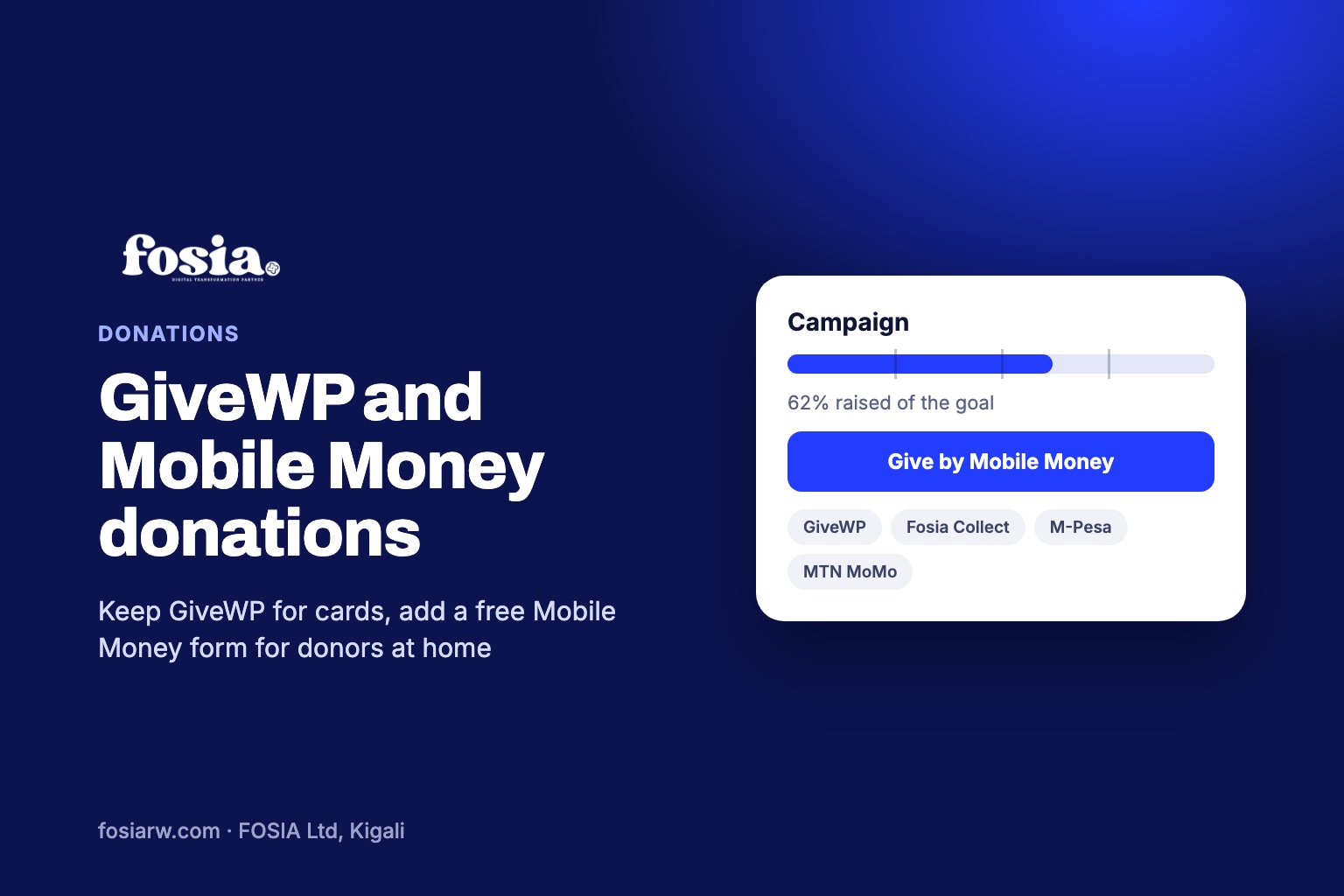
In short: GiveWP Mobile Money support is not something the official GiveWP pages mention today: the free plugin includes Stripe and PayPal, and paid plans add Square and more than a dozen other international gateways. If your donors in Nairobi, Kampala or Kigali pay with M-Pesa, Airtel Money or MTN MoMo, you can keep GiveWP for card donors and add a free Fosia Collect form for Mobile Money, paid straight into your own PawaPay account.
Many NGOs, schools and churches in Africa already run GiveWP. It was recommended by a web designer, it works, and the forms look good. Then the treasurer notices that almost every gift comes from abroad, by card, while local supporters keep sending money to the director’s personal number. This guide explains what GiveWP offers at the time of writing (November 2026), where Mobile Money fits, and how to set it up without breaking what already works.
What GiveWP does well
Let us be fair: GiveWP on WordPress.org is a widely used donation plugin, with more than 100,000 active installs. Its free version includes customisable donation forms with a form builder and templates, donor management, fundraising reports and a donor dashboard. Stripe and PayPal are included in the free plugin, and the page notes that additional fees may apply for free users of the Stripe gateway.
Paid add-ons bring recurring donations (weekly, monthly, quarterly or annual), annual receipts and gateways such as Authorize.net and Square. Today givewp.com sends visitors to Liquid Web’s Give page, where yearly plans start at $350 for one site, bundled with The Events Calendar, LearnDash and Kadence, with a 48-hour free trial. For an organisation whose donors are in Europe or North America and pay by card, it is a mature, complete tool.
Where African donors get stuck
None of the official GiveWP pages we checked mention Mobile Money, M-Pesa, MTN MoMo, Flutterwave or Paystack. That matters, because in much of East and West Africa the wallet in people’s pockets is a phone number, not a Visa card. A parent in Mbarara who wants to give 10,000 UGX to the school library will rarely type card details. They would give in ten seconds if the form asked for their Airtel Money number.
The usual workaround, “send to this number” in the page footer, creates three problems: no record of who gave, no receipt, and money mixed with someone’s personal wallet. Our guide to records NGOs need for donations explains why auditors dislike it.
A Mobile Money form next to GiveWP
Fosia Collect is a free WordPress plugin built by FOSIA in Kigali. It adds a Donate or Pay form to any page, without WooCommerce, with no licence key and no limit on forms or payments. Donors choose an amount, type their Mobile Money number and approve with their PIN on a secure payment page.
It does not replace GiveWP’s card features, and you do not have to choose. Fosia Collect keeps its payments in its own list, so GiveWP’s reports stay as they are. Your treasurer exports both lists at the end of the month and adds them up.
| Need | GiveWP (free plugin) | Fosia Collect (free) |
|---|---|---|
| Card and PayPal donors | Stripe and PayPal included | No: Mobile Money only |
| Mobile Money donors | Not mentioned on its pages | 21 African countries, 43 networks |
| Monthly giving | Recurring donations add-on (paid) | No automatic debits: each gift approved on the phone |
| Who holds the money | Your payment processor account | Your own PawaPay account, Fosia never holds it |
| Fees | Your gateway’s fees; extra fees may apply on free Stripe | Only PawaPay’s processing fees, no Fosia commission |
Coverage depends on the countries and networks PawaPay has enabled on your merchant account, for example M-Pesa in Kenya, MTN MoMo and Airtel Money in Uganda or Rwanda, Orange Money and Wave in Senegal.
Set it up in five steps
You need WordPress 6.3 or later, PHP 7.4 or later, HTTPS and your own PawaPay merchant account. A sandbox account is free; the live account is opened after your organisation’s documents are checked. Our PawaPay setup guide covers the account itself.
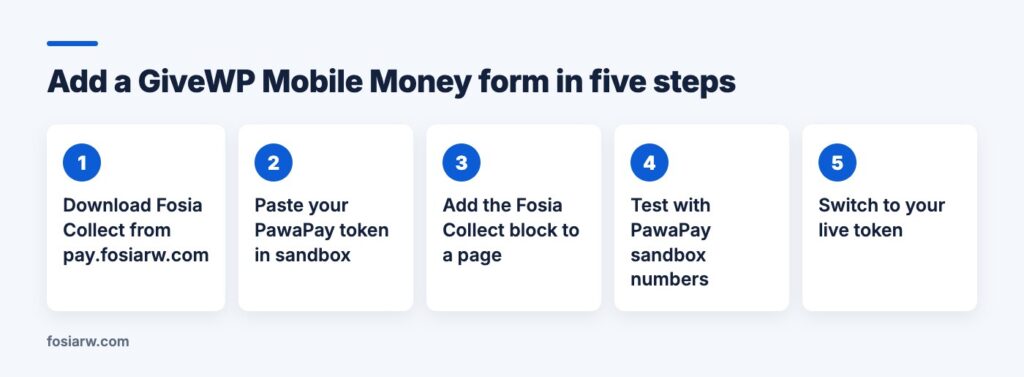
- Download the zip from the Fosia Collect page (it is not on WordPress.org) and install it under Plugins, Add New, Upload Plugin.
- In the guided setup, choose Sandbox and paste your PawaPay API token. It is tested before it is saved.
- Optionally copy the callback address into your PawaPay dashboard: it makes confirmation faster.
- Edit your donation page and add the Fosia Collect block below your GiveWP form, or use the shortcode with Divi or Elementor.
- Pay with a PawaPay sandbox test number, check that it shows as paid, then switch to your live token.
Design the form for local donors
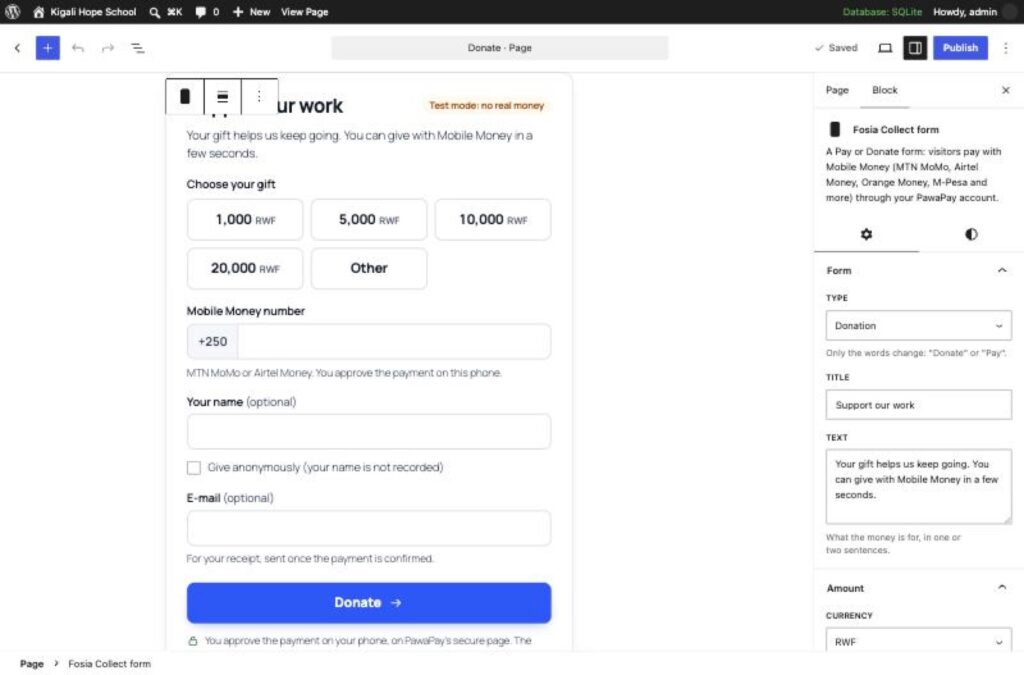
- Amounts: up to six quick amounts plus “Other” within a minimum and maximum, in the local currency (KES, UGX, RWF…), or one fixed amount.
- Donors abroad with a wallet at home: a form can be in USD or EUR; the payer sees an estimate in their own currency before approving.
- Privacy: name, e-mail and message can each be optional, required or hidden, and “Give anonymously” keeps the name out of your records.
- One extra field: for example “Which programme do you support?”, shown in your list, the CSV export and the receipt.
The donor sees the real status, read from your payment account: paid, not received yet, or failed with the reason in plain words. A receipt is e-mailed once the payment is confirmed, and you get an e-mail for each confirmed gift. Refunds, full or partial, go back to the number that paid.
One page, two ways to give
Put the two forms side by side with clear labels: “Give by card or PayPal” and “Give by Mobile Money”. Tell supporters on WhatsApp which one to use. If you also sell products with WooCommerce, read how to run Mobile Money next to Stripe; for churches and mosques, see our guide to giving by Mobile Money.
Frequently asked questions
Is there an official GiveWP gateway for M-Pesa or MTN MoMo?
The official GiveWP pages we checked in November 2026 list Stripe, PayPal, Square and other gateways, but do not mention Mobile Money. Check GiveWP’s own add-on list before you decide.
Will Fosia Collect change my GiveWP donations or reports?
No. Fosia Collect keeps its payments in its own list, with its own dashboard, filters and CSV export.
Can a donor set up a monthly Mobile Money gift?
Not automatically. Mobile Money asks the payer to approve every payment on their phone, so each monthly gift is a new approval.
Does it work with a page cache like LiteSpeed or WP Rocket?
Yes. The form works on cached pages and its status pages are never cached. If your cache stores query strings, exclude fcol_payment.
Who keeps the donors’ data?
Your site. It is stored in your own database, erased after the period you choose, and included in WordPress’s export and erase tools.
Keep GiveWP for your card donors and welcome everyone else: download Fosia Collect free, or book a free call and the FOSIA team will help you set it up.