

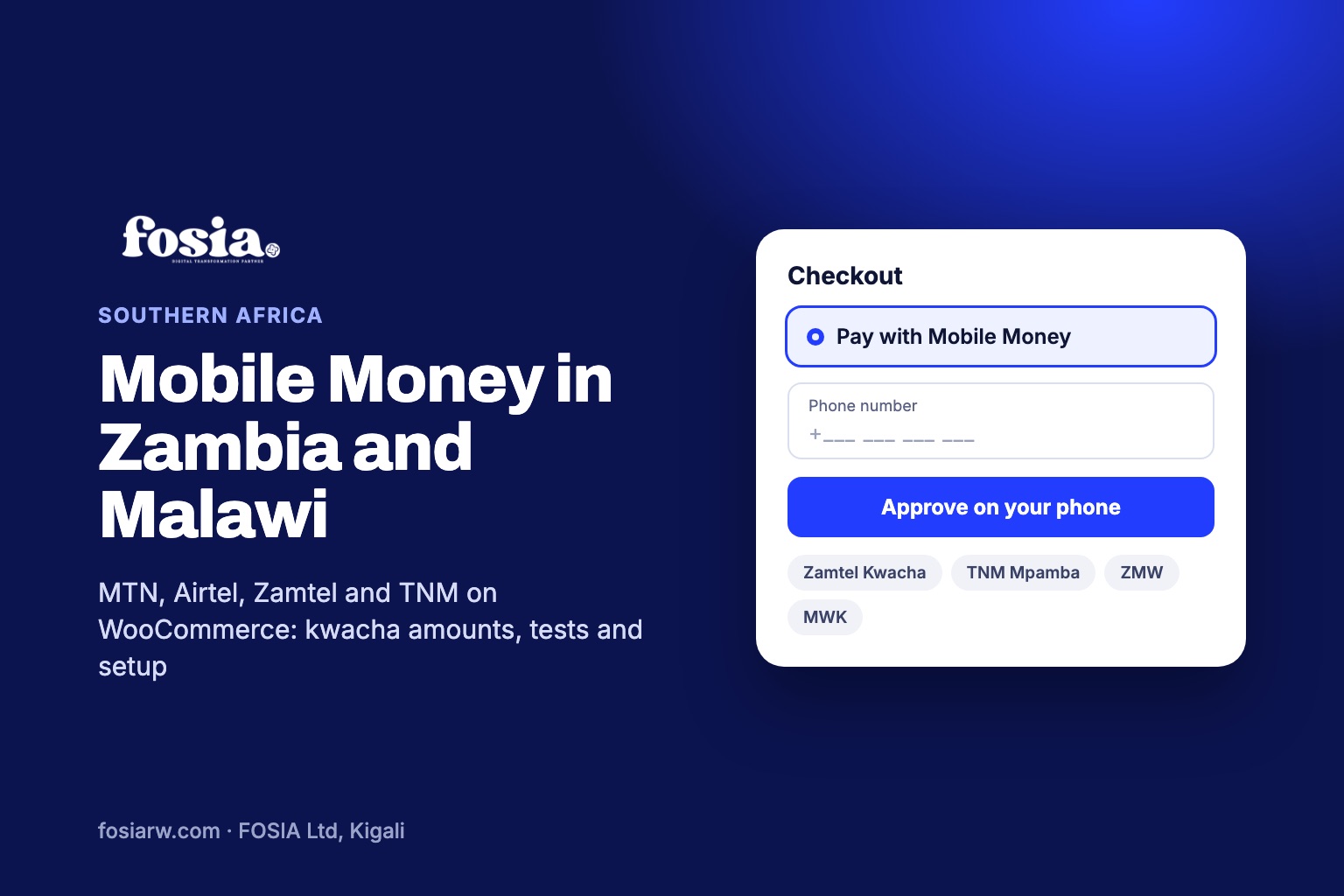
In short: to sell with WooCommerce in Zambia and Malawi, your checkout should reach five Mobile Money networks: MTN MoMo, Airtel Money and Zamtel Kwacha in Zambia, Airtel Money and TNM Mpamba in Malawi. None of them is on PawaPay’s Enterprise-only list, so a Standard PawaPay account can ask for all five. Fosia Pay connects your store to your own PawaPay account, converts prices to Zambian or Malawian kwacha, and takes no commission.
A solar-panel dealer in Lusaka, a fashion boutique in Kitwe, a bookshop in Lilongwe, a coffee roaster near Mzuzu: their customers pay with their phones, and in both countries several networks share the market. A checkout that takes only one wallet turns the others away. This guide covers what is specific to the two countries: which networks PawaPay serves, two currencies that share the name kwacha, a settlement rule for Malawi, and the test numbers to try before real money moves.
Five networks, two countries
PawaPay’s markets page lists MTN, Airtel and Zamtel in Zambia, and Airtel and TNM in Malawi. The Fosia Pay Lite listing on WordPress.org names the same wallets: MTN MoMo, Airtel Money and Zamtel Kwacha for Zambia, Airtel Money and TNM Mpamba for Malawi. PawaPay’s technical provider list adds the details a store needs:
| Country | Network | Currency | Decimals in amounts |
|---|---|---|---|
| Zambia | MTN MoMo | ZMW | 2 places |
| Zambia | Airtel Money | ZMW | 2 places |
| Zambia | Zamtel Kwacha | ZMW | 2 places |
| Malawi | Airtel Money | MWK | 2 places |
| Malawi | TNM Mpamba | MWK | 2 places |
Good news compared with Kenya or Tanzania: PawaPay’s plans page names the operators that are only available on its Enterprise plan, and no Zambian or Malawian operator is on that list at the time of writing (November 2026). Availability still depends on what PawaPay has enabled on your merchant account, so ask for every network you need when your live account is opened. A Zamtel customer cannot pay if only MTN and Airtel are switched on.
Zambian kwacha and Malawian kwacha are not the same money
Both currencies are called kwacha, but they are different: ZMW in Zambia, MWK in Malawi. WooCommerce’s currency options let a store choose one default currency only, so decide what your price list is written in:
- A store for Zambia only: price in ZMW. All three Zambian operators accept two decimal places, so K249.50 is a valid amount.
- A store for both countries, or for buyers abroad: keep prices in US dollars, or in one of the two kwachas. Fosia Pay converts the amount to the customer’s Mobile Money currency at checkout, at the current exchange rate, and shows it before the customer pays. A buyer in Blantyre approves an amount in MWK, a buyer in Ndola an amount in ZMW.
The Lite listing adds that amounts follow the decimals and limits set on your PawaPay account. Limits matter: PawaPay’s guide for merchants explains that wallets have daily, weekly or monthly caps, so a large payment can still fail after PawaPay accepts it. For big tickets, such as a generator or a term of school fees, warn customers: PawaPay notes that a customer can get a wallet limit raised by contacting the operator and completing extended identity checks.
Your PawaPay account, fees and the Malawi settlement rule
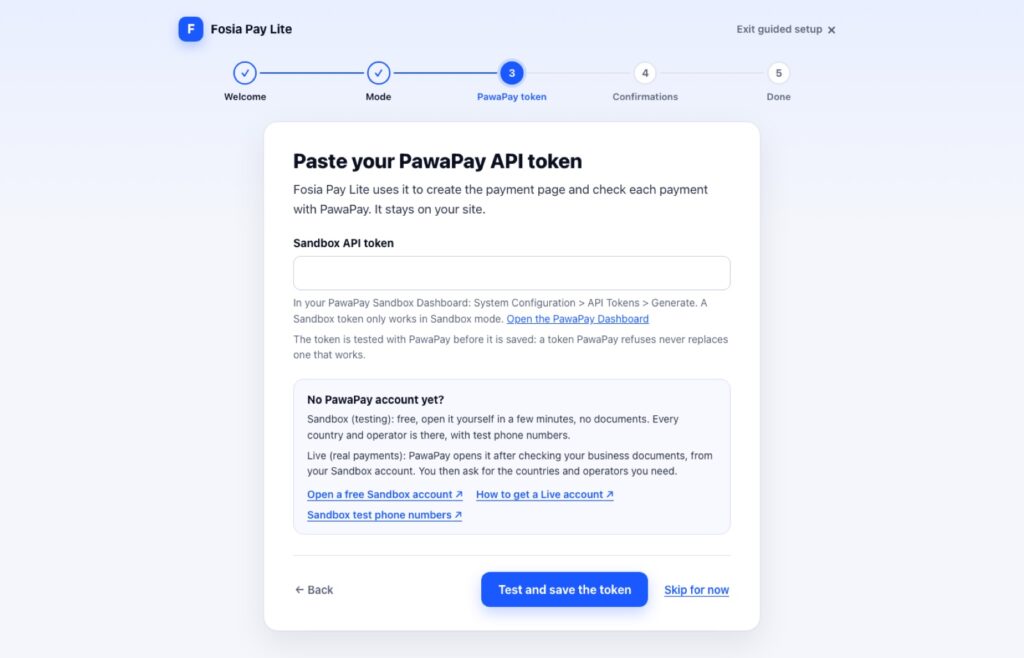
Fosia Pay works with your own PawaPay merchant account. A sandbox account is free, opens in minutes and needs no documents. PawaPay opens the live account after checking your business documents, and you then ask for the countries and operators you need. Fosia Pay Lite’s guided setup explains this right where you paste your token.
Two points from PawaPay’s own pages, at the time of writing (November 2026), before you set your prices:
- Fees. The plans page shows the Standard plan at 1% plus a fee set by the operator for collections, and the fees page breaks it down per operator. FOSIA adds nothing: no commission on any plan.
- Settlement. A settlement moves the money you collected from PawaPay to your bank account. PawaPay gives T+2 to T+11 business days for local settlements, and its fees page states that cross-border settlements are currently unavailable for Malawi. If your company banks outside Malawi, ask PawaPay how your Malawian kwacha will reach you before you launch there.
Setting it up, step by step
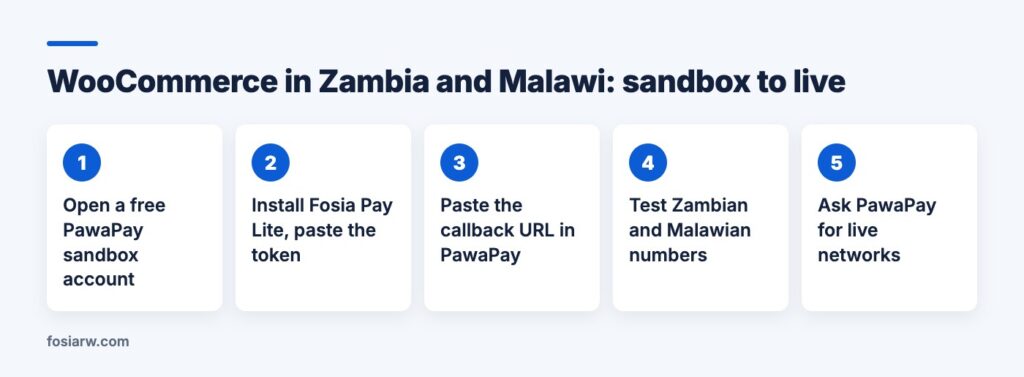
- Check the requirements: WordPress 5.8+, WooCommerce 5.0+, PHP 7.4+, HTTPS on your store and a PawaPay merchant account.
- Install Fosia Pay Lite from Plugins, Add New. In the guided setup, choose Sandbox and paste your API token: it is tested with PawaPay before it is saved.
- Copy the callback URL into your PawaPay dashboard under System Configuration, Callback URLs (Deposits). Whatever arrives there, Fosia Pay checks the payment’s status, amount and currency with PawaPay before an order is marked paid.
- Test with the numbers below, then switch to your live token once PawaPay has enabled your networks.
Fosia Pay Lite only offers Mobile Money when it can work: it hides it for a billing country your PawaPay account does not cover. If Zambia is live and Malawi is not yet, your Malawian customers simply do not see the option, instead of meeting an error.
Test numbers for Zambia and Malawi
PawaPay’s sandbox test numbers complete or fail on purpose, and only work in sandbox. Watch Zamtel: its “paid” number does not end in 789 like the others.
| Network | Paid | Fails on purpose |
|---|---|---|
| MTN (Zambia) | 260763456789 | 260763456039 (payment not approved) |
| Airtel (Zambia) | 260973456789 | 260973456049 (insufficient balance) |
| Zamtel (Zambia) | 260953456700 | 260953456704 (insufficient balance) |
| Airtel (Malawi) | 265993456789 | 265993456049 (insufficient balance) |
| TNM (Malawi) | 265883456789 | 265883456049 (insufficient balance) |
For each paid number, check that the order turns to Processing on its own. For each failure, look at what the customer sees: Fosia Pay Lite never shows “Thank you” for an unpaid order, but “Payment failed” with the reason in plain words and “Try again”. Our guide to failed Mobile Money payments explains each reason and how to recover the sale.
Lite or Pro for a Zambian or Malawian store?
Fosia Pay Lite is free on WordPress.org, with unlimited payments and no licence key. The customer picks the network on PawaPay’s secure payment page and approves with the Mobile Money PIN.
Fosia Pay Pro ($19.99 a year or $59 once for life) keeps the customer on your site and helps when three networks meet one checkout: the operator is read from the phone number, the number is checked as it is typed, an operator outage shows before paying, and a failed payment gets a one-tap retry. It also adds refunds from the WooCommerce order, payouts, and payment links with QR posters for a market stall or a showroom.
Selling across the region? Read our guides to Mobile Money on WooCommerce in Tanzania and Ghana and Uganda.
Frequently asked questions
Can one store sell in both Zambia and Malawi?
Yes. Fosia Pay covers both countries. Each customer pays with a network enabled on your PawaPay account for their country, in their own kwacha.
Can Zambian customers pay in US dollars?
PawaPay lists the Zambian operators in ZMW only. If your prices are in dollars, Fosia Pay converts them, and the customer approves the amount in kwacha.
Are Zamtel Kwacha and TNM Mpamba available on the free plugin?
Yes. Lite works with every network enabled on your PawaPay account. The paid plans add features, not networks.
What if a network is down when a customer pays?
PawaPay monitors operators, stops payments to one whose success rate is too low and publishes operator status on its status page. With Pro, the checkout warns the customer before paying and names the networks that work right now.
Does FOSIA see or hold the money?
No. Payments settle in your own PawaPay account. FOSIA takes 0% commission; only PawaPay’s own fees apply.
Ready to test? Download Fosia Pay Lite for free and try the five test numbers today, follow our PawaPay setup guide, read the Fosia Pay guide, or compare plans on the pricing page.